
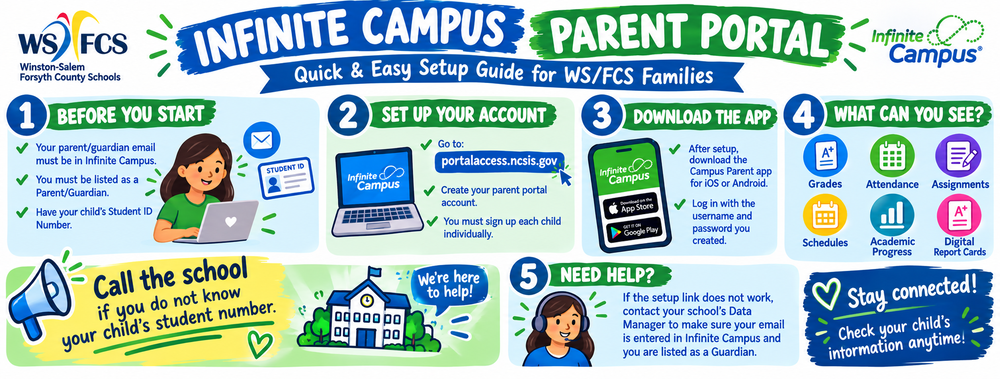
Visit the WS/FCS Infinite Campus Campus Parent page for all the directions

Things you need to know before you set up the account:
The parent/guardian email must be in Infinite Campus in order for a parent to get access to the portal. The person accessing the portal must also be marked as “Guardian”. If the link does not work, parents will need to contact the school data manager to be sure they are the guardian and that their email is entered in Infinite Campus.
Please call your child's school to update your parent/guardian email.
Only people who are listed as Parent/Guardian will be able to set up a Campus Parent portal account.
You will be prompted to update your student's information the first time that you log into Campus Parent each year.
Go to this DPI link to set up your parent portal: https://portalaccess.ncsis.gov/
When you create your child’s account, you will need your child’s student ID number and birthday. Your child’s teacher has the student ID number if you do not have this information.
You must sign up each child individually through Infinite Campus with your parent account.

3. Download the Campus Parent app on iOS/Android after your initial setup of your account and log in using the username and password you setup.
4. Visit the parent page on the district website for a “How-To” document on viewing and printing progress reports and report cards from the portal. You can get this document by going to the 1st QR code. This document will also be distributed to schools to aid parents during report card time.